Go to the Academy page > Coach tab > Operations column > Availability & Pricing tab.
Click on the Set Prices button.
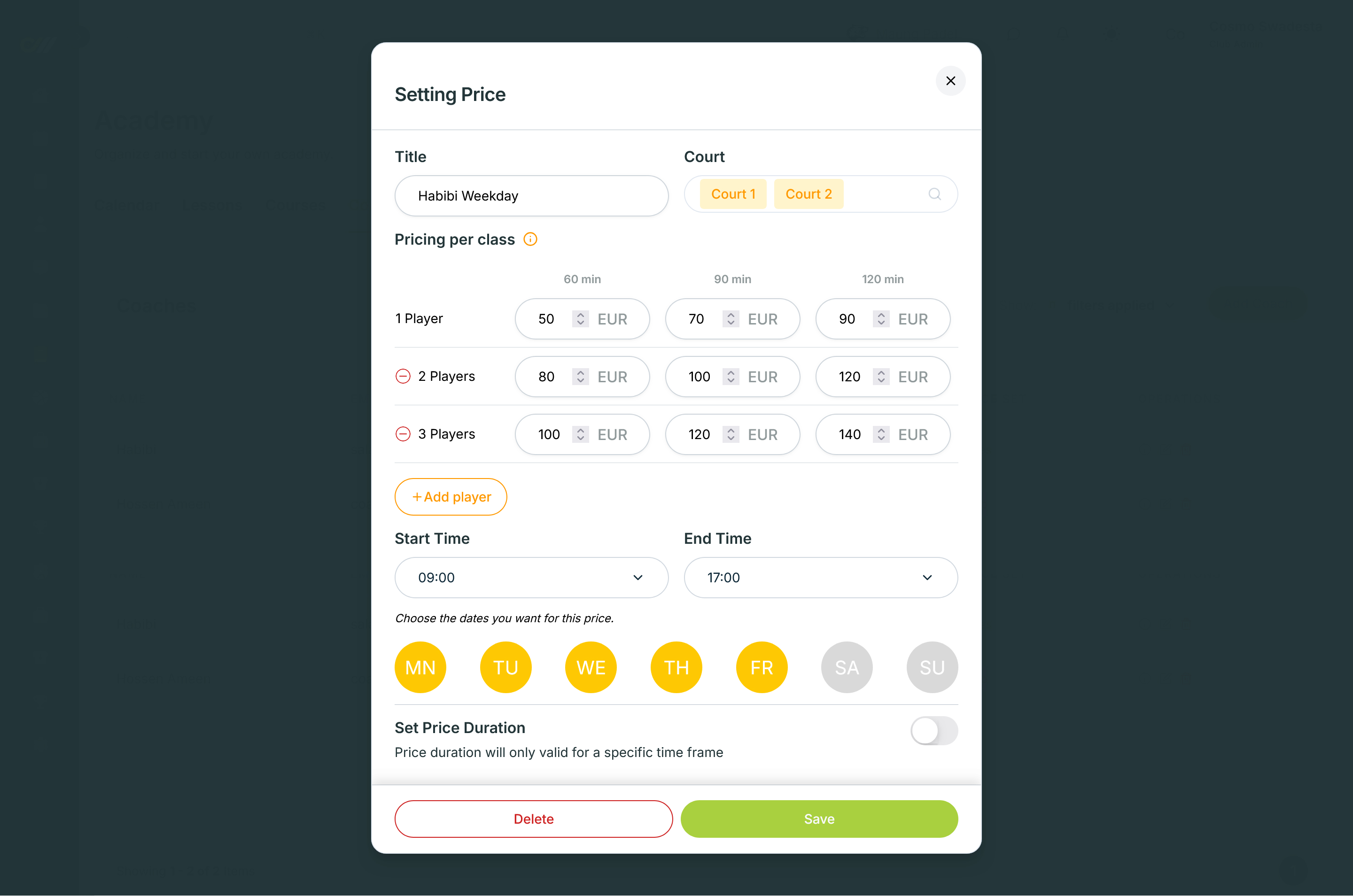
Fill the inquiries from the top. Determine the price Title.
Select the appropriate Court for the price. You can select more than one court.
Determine the Price per class. In this section, what is mandatory is that you will be asked to determine the price per session duration of 60 minutes, 90 minutes, and 120 minutes if there is only 1 player. ℹ️ You can add a price offer with a larger number of players (the more players there are, the cheaper the price per session will be). Note that the maximum number of players is only 4.
Determine the Start Time and End Time for the session.
Determine which Days the session will take place.
You can also make the price valid for a certain period, for example for promotional purposes. To do this, turn on the toggle/switch in the Set Price Duration section and then determine the Start Date and End Date duration.
Don't forget to press the Save button to save the price settings 😉👌