- Go to Customers page > select Package tab.
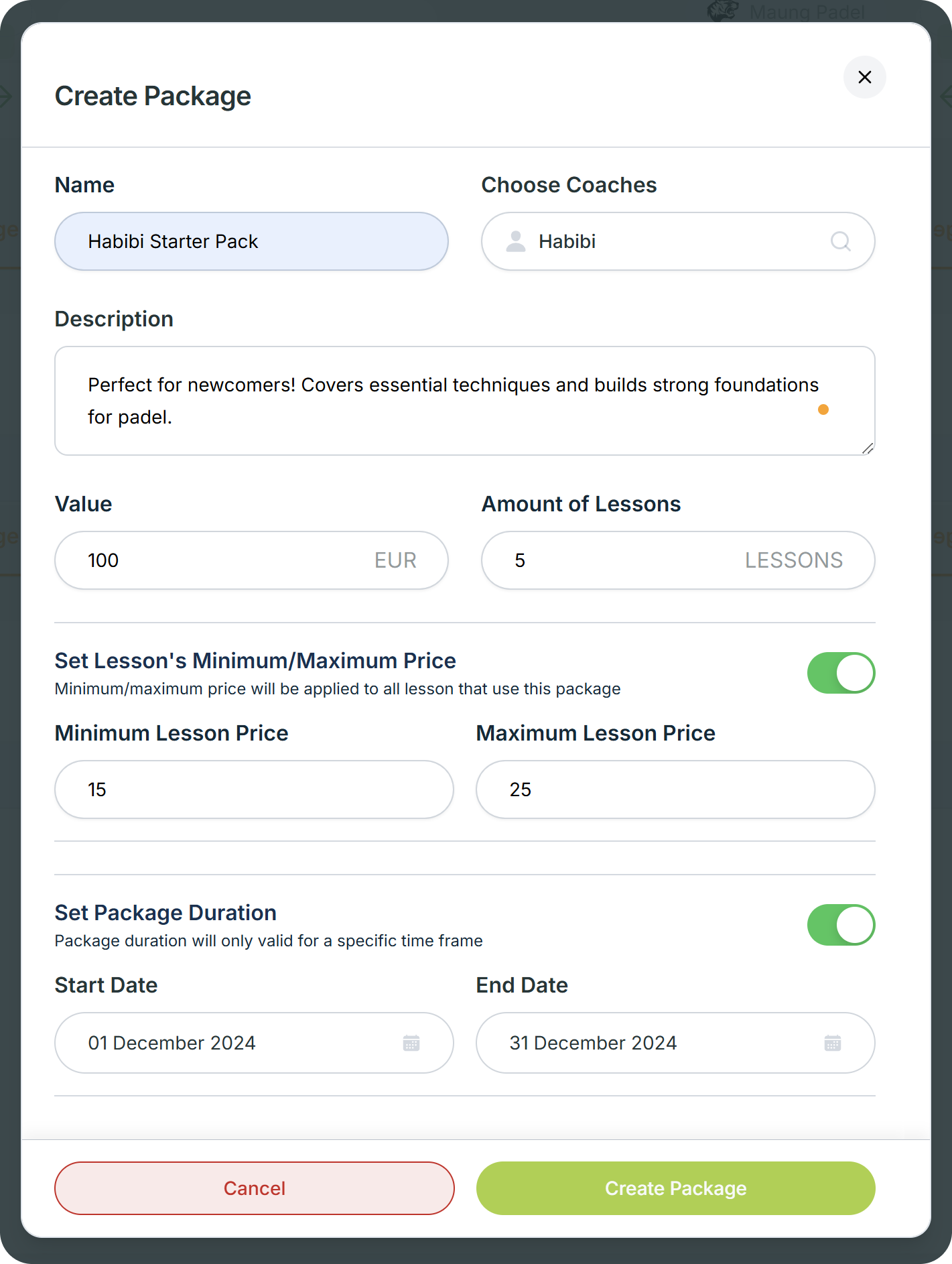
- Click on the Create Package button, a pop up will appear.
- Give the package Name and Description.
- Select the Coach where the package can be used.
- Determine the price Value of the package.
- Determine the Amount of Lessons that can be paid using the package.
- Set Lesson's Minimum/Maximum Price if you want the package to be used for lessons with a certain price.
- Set Package Duration if you want the package to have a validity period.
 Frame 1000004688.png 189.5 KB