Start make an online bookings
by Courtwin Team • January 17, 2025Before you start making a booking, make sure the price of each court has been determined. There are several types of bookings (more details can be read in this article).
Go to the Reservation page, you’ll find the courts in your club.
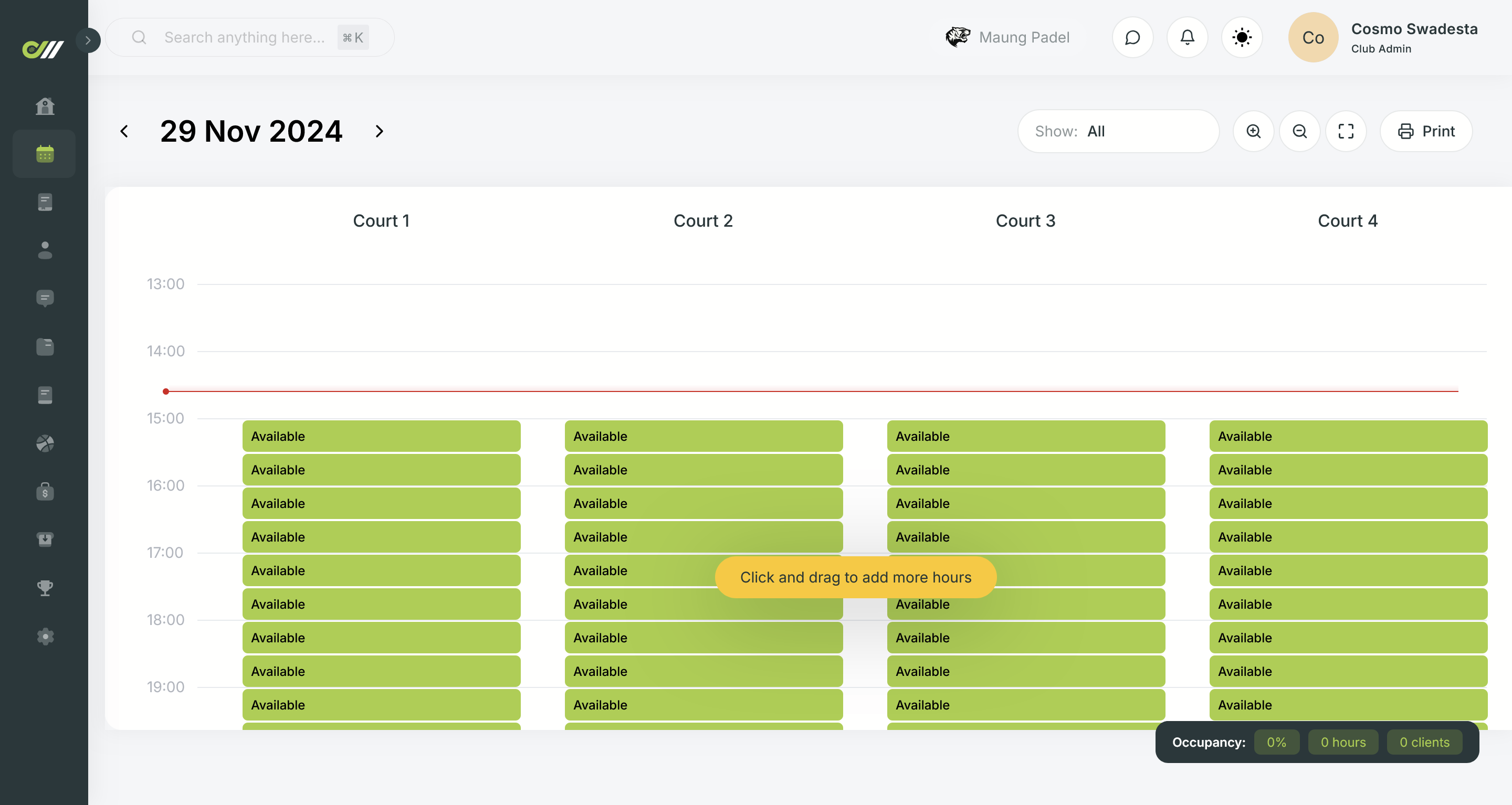
To make a booking, click and drag down the green availability blocks according to the time you want to book in the available court lane.
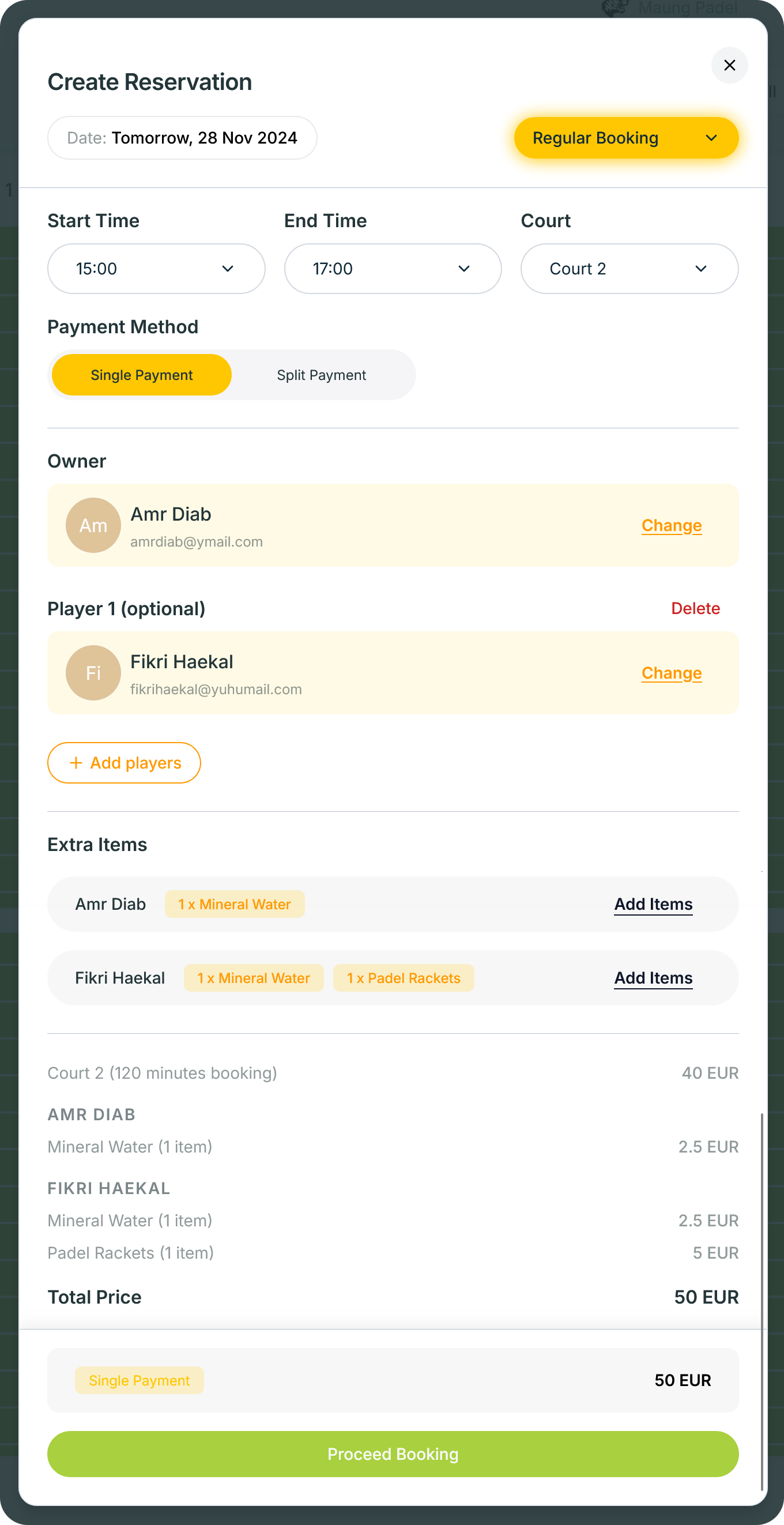
Later, a pop-up will appear to Create Reservation.
- Make sure the Date is correct.
- Select your Booking Type.
- Set the Start Time and the End Time. Yes, you can only set the times in multiples of 30 minutes.
- Make sure the Court you want to use is correct.
- Add players who want to make reservations. You can add more than one player. To avoid suspicious activity, our system doesn’t allow adding a guest player into the reservation. Therefore, if there are customers who are not registered and want to make a reservation, you can create a new customer by clicking the Create new customer button.
- Choose the Payment Method whether Single Payment or Split Payment (read more about payment method here).
- Select the Extra Items that each player wants to add.
- Save the reservation by clicking the Proceed Booking button.
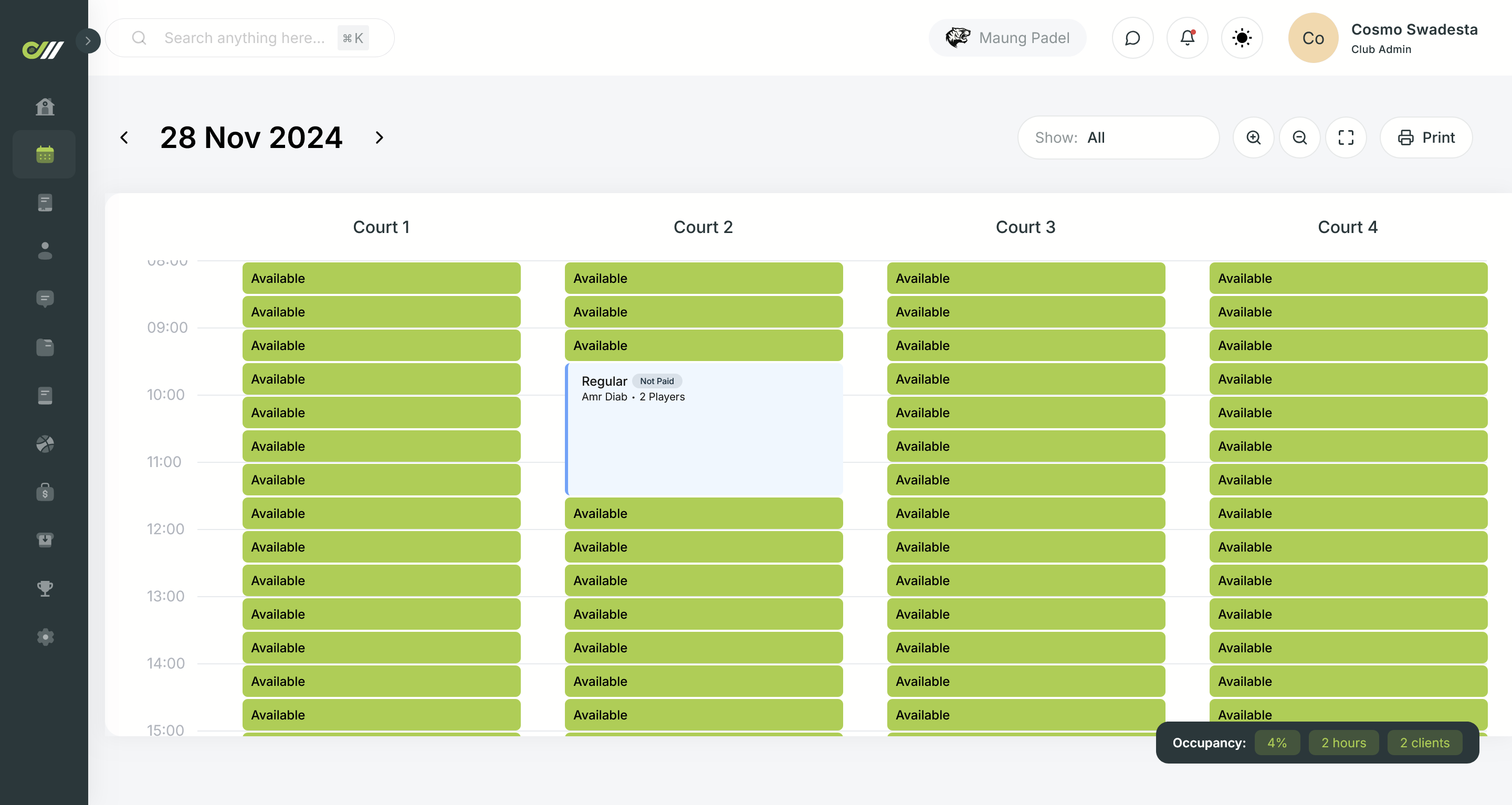
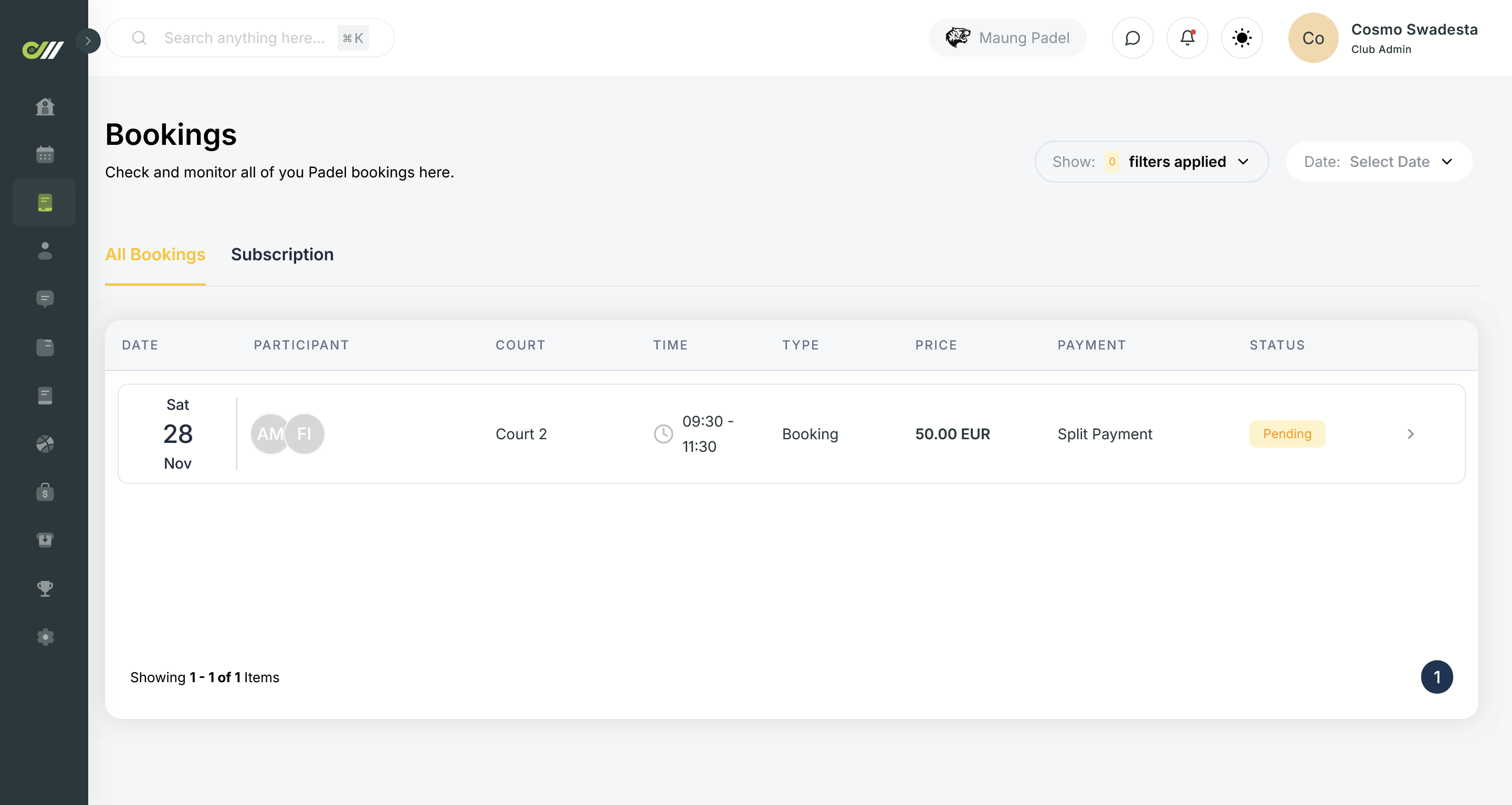
ℹ️ When you create a new booking, it will appear as timeline view in the Reservation page. You can also see all of the bookings as a list view on Bookings page.